
Bring the meters you have
We'll tell you honestly what we can read.
Landlords and rentals
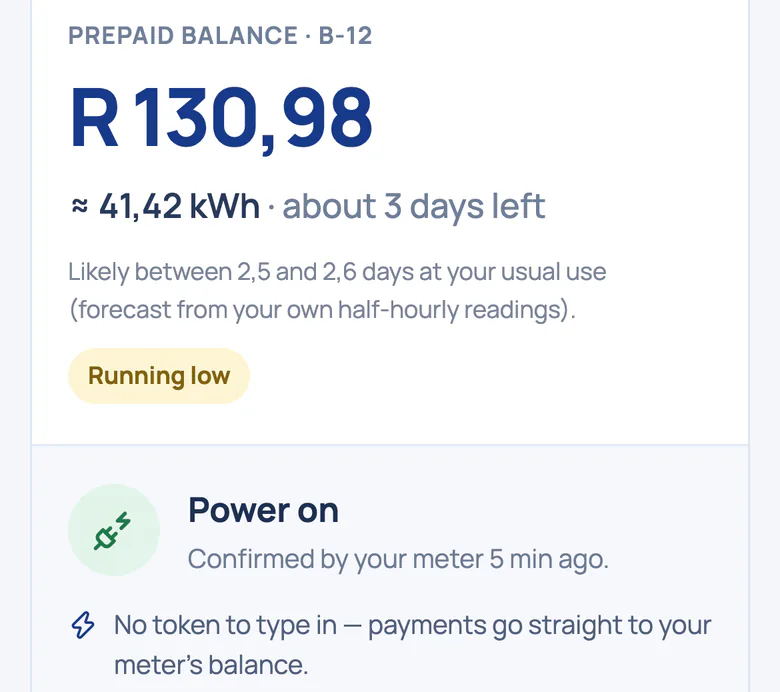
On smart meters, tenants top up in two taps and the meter confirms the power is on. There's no token to type, and Utilitize charges tenants no fees. Prefer postpaid? Send statements from actual readings.
For 5 homes or more. Fewer? Ask a question.
Every flat's usage, and every tenant change, on one screen.
Leaks and bypass signals, flat by flat.
No arrears switch-off, and every maintenance switch-off on record.
Tokenless prepaid, or statements from actual readings.
What the labels mean
Built and tested. We're choosing our first pilot sites.See what's built
Bill and collect
On smart meters there's no token to type. Tenants top up in two taps, and the meter confirms the power is on. Prepaid electricity is priced at the municipal energy rate.
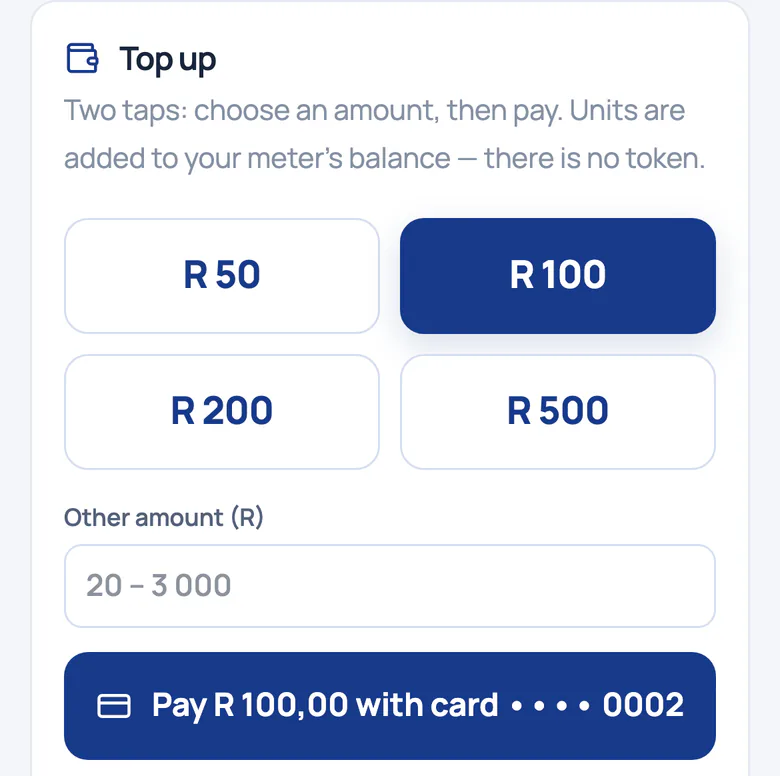
No 20-digit token to lose or retype. Demo tariffs are illustrative; each site's municipal tariffs are loaded before it goes live.
Credit that tides a tenant over when the balance runs out, repaid from later top-ups with no fee or interest.
There's no arrears switch-off in Utilitize. A maintenance switch-off needs a fresh identity check, tells the tenant and is logged.
If someone at home depends on electricity for medical equipment, the household can flag it, and the supply can't be switched off remotely.
Bill and collect
Bill electricity and water from actual readings, every month. An incomplete statement is held back, never sent quietly. Every bill carries a QR code your tenant can check.
Previous and current readings, usage and the tariff, per meter. Statements and their data export to CSV.
Scan it, and the tenant's own phone checks that the readings behind the bill haven't changed since they were recorded.
At 7, 21 and 35 days, then they stop. The wording is tested never to mention disconnection.
See everything
End the lease from a set date, and the old tenant loses access that day. An actual final reading is needed before the closing invoice, and the deposit is settled on an itemised statement. Then add the new tenant with an invite.

Nobody shares passwords: the new tenant sets their own from the invite, and the flat keeps its history.
A prepaid balance goes back to the leaving tenant's wallet, and emergency credit never passes to the next tenant.
Readings, bills and alerts from before the move-in date stay with the flat's history, out of the newcomer's view.
Each tenant sees their own home only, and our isolation tests check it.
Catch problems early
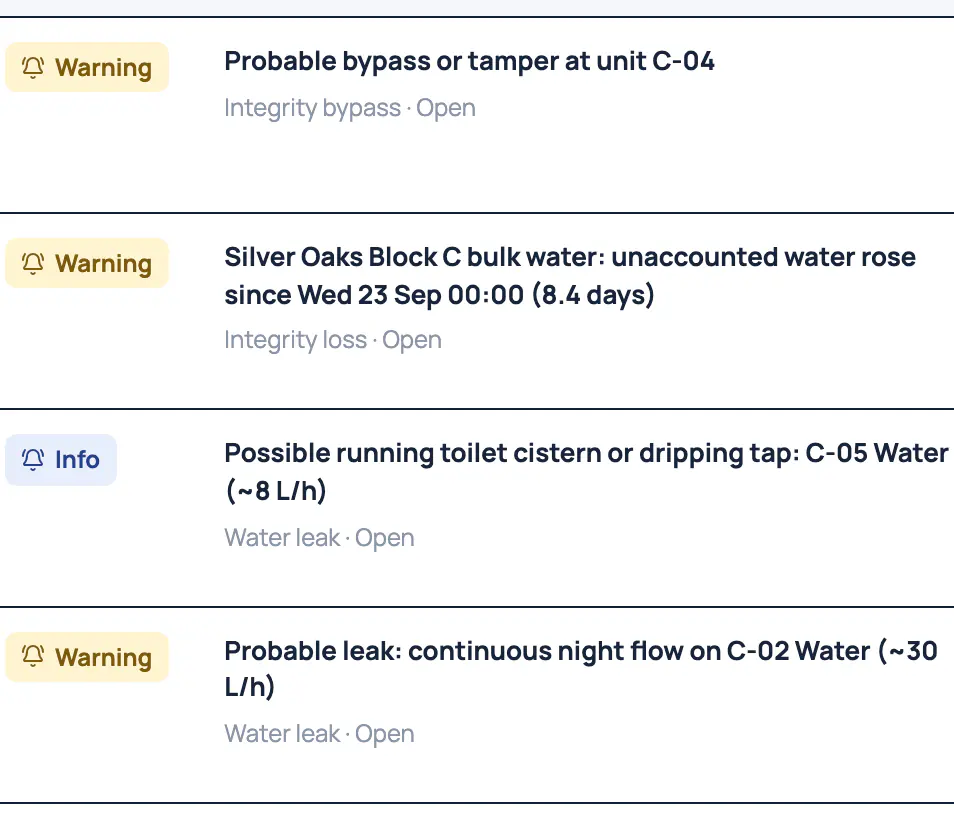
Every smart meter, every half‑hour: a heatmap of each day, spikes and the always-on baseload. Where there's a check meter, bypass signals point to the meter that dropped. Night-flow leaks show up after three nights.
Missing readings are never shown as zero, so a quiet meter never looks like an empty flat.
Where there's a check meter on the supply: which flat's meter dropped when the loss began, and how sure we are.
Water flowing all night is flagged after three nights, with the litres lost so far.
A tenant raises a problem with the flat or a meter and follows the replies, so nothing gets lost in a WhatsApp chat.
Bill and collect
We're working on options for keypad sites. Tell us about your meters, and we'll send one message when it's ready.
The honest limits: keypad meters give no half‑hourly data, and no remote top-up or switch-off. We'll tell you what's possible on yours.
A day with Utilitize
What the platform does on its own, and where you decide. Prepaid runs on a payment sandbox until payments go live.
Every half‑hour
Usage and balances update from the meter itself. Missing readings are never shown as zero.
Evening
Paid, units added, then power on, confirmed by the meter. No token, and Utilitize charges the tenant no fee.
When credit runs low
Tenants see about how many days their credit will last, worked out from their own usage and labelled a forecast, not a promise.
Move-out day
End the lease from the move-out date, settle the deposit on an itemised statement and invite the new tenant. The history stays with the flat.
Month-end
Postpaid flats get statements with actual readings. An incomplete one is held back, and reminders never mention disconnection.
On site
What the features on this page need. A registered electrician fits meters to our specification, and we check every meter's first reading.
Smart electricity meters on each flat
Meters that report every half‑hour. For tokenless prepaid, a breaker we can switch remotely.
Smart water metersIf you bill water
So water is billed from actual readings, and night-flow leaks show up.
A way for readings to reach us
Meters on a provider's network, or a gateway per distribution board.
A check meter on the supplyOptional
For bypass signals between the supply and the flats.
We'll tell you honestly what we can read.
In backyard rooms, new smart meters don't pay for themselves yet. If that's your building, we'll say so.
Questions
No. Prepaid electricity is priced at the municipal energy rate; demo tariffs are illustrative until each site's are loaded.
Not for arrears: there's no arrears switch-off in Utilitize. A maintenance switch-off needs a fresh identity check, tells the tenant and is logged.
Walkthroughs are for five homes or more. With fewer, ask us a question and we'll tell you honestly whether it fits.
In backyard rooms, new smart meters don't pay for themselves yet. If that's your building, we'll say so.
We're working on options for keypad sites. Tell us about your meters and join the keypad list; we'll send one message when it's ready.
The meters keep measuring, and gaps show as gaps, never zero. A top-up needs the network to reach the meter; a keypad token doesn't. That's the honest trade-off.
Bring your meter list.