
Bring the meters you have
We'll tell you honestly what we can read.
Estates and HOA boards
Estate utility management on smart meters: compare each bulk supply with every home, half‑hour by half‑hour. Catch leaks in homes and on common pipes. See pumps, irrigation and the clubhouse on their own. And give every home a bill it can check.
A 30‑minute video call with the founder. Bring last month's bulk bills.
Needs a check meter. Tuned on simulated data.
Every home, each bulk supply and the common areas.
Losses on each supply, and leaks in homes and on common pipes.
Where valves and relays are fitted: pump schedules, burst shut-off and holiday mode.
Prepaid or postpaid, with a QR code on every bill.
What the labels mean
Built and tested. We're choosing our first pilot sites.See what's built
Catch problems early
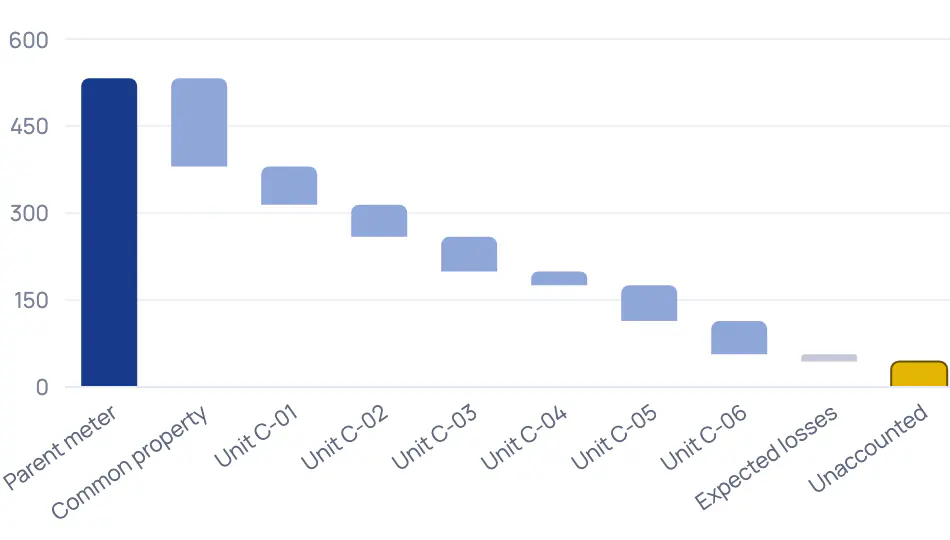
Each bulk supply is compared with the homes behind it, every half‑hour, only where every meter has complete data. A gap beyond the supply's own loss band shows where, since when and how sure we are. Then someone checks on site.
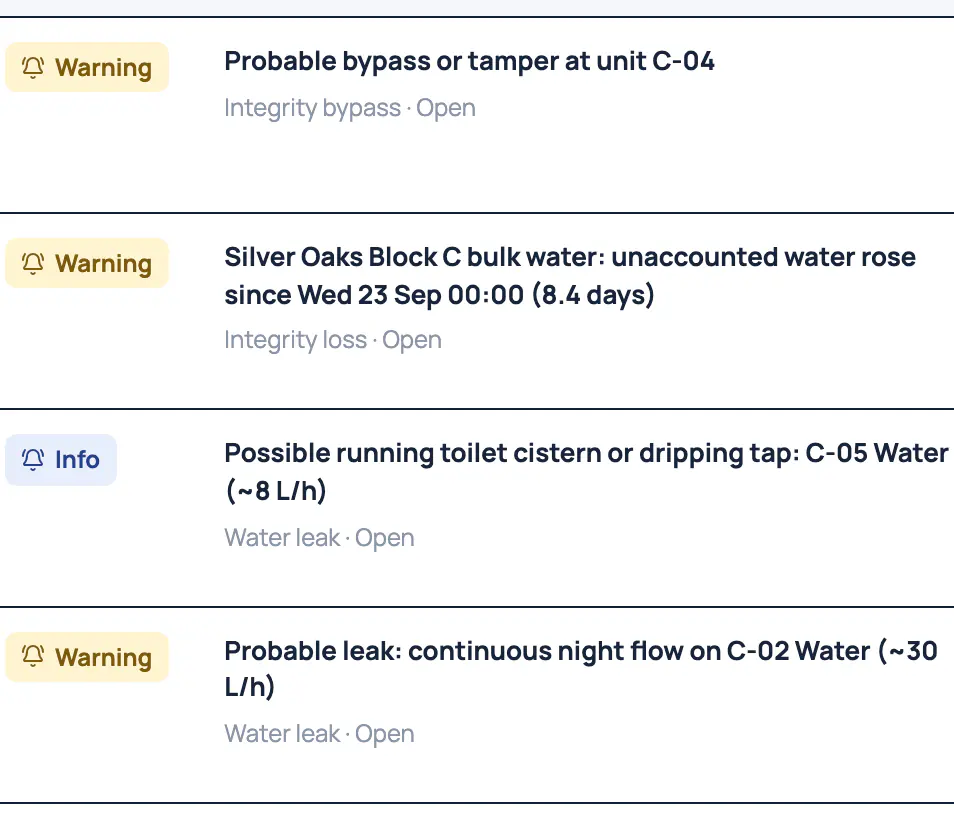
Electricity and water, supply by supply. Meters that report late show as gaps, never as a loss.
It points to the home whose meter dropped when the loss began, and asks for a physical inspection before anyone is accused.
When meters go quiet together, it says what most probably happened: a gateway, an outage or load-shedding. A silent meter isn't called a power cut.
Catch problems early
Water flowing all night is flagged after three nights; a burst within hours. A leak on the common pipes shows up in the bulk water balance.

Each finding counts the litres lost so far and says how sure it is. Confirmed on site or False alarm tunes the next one.
Where a smart valve is fitted, a burst closes the water and everyone at home is told. One tap reopens it.
See everything
Group meters as common property, irrigation or a phase, each with its own totals every half‑hour. Where relays are fitted, pumps and irrigation run on schedules, and the meter confirms every command.
Pumps, irrigation, lifts and the clubhouse as groups, each with a heatmap, spikes and baseload. We set up the groups with you.
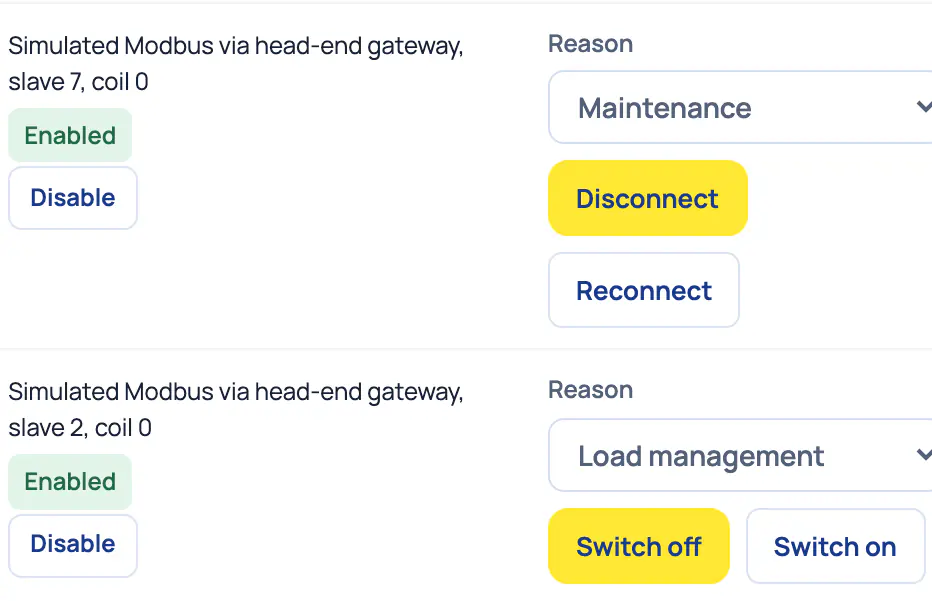
Schedules and load management for pumps and irrigation. A command counts as done only when the meter confirms it.
Real hardware starts switched off until a manager enables it, with a fresh confirmation.
Control what matters
Holiday mode closes the water, switches the geyser off, sends a daily "all quiet" and restores everything before they're back.
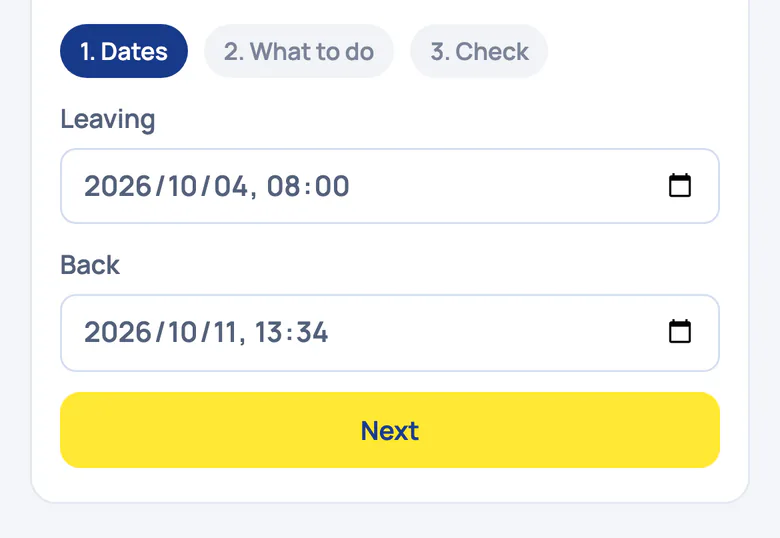
The household sets it in three steps: dates, what to do, then a check.
The geyser heats in two short windows before hot water is needed, applied in one tap.
Bill and collect
The estate chooses. On smart meters, prepaid needs no token. Postpaid statements come from actual readings. Either way, every bill carries a QR code any home can check.
Homes top up in two taps, and the meter confirms the power is on.
An incomplete statement is held back, never sent quietly.
Scan it, and your own phone checks that the readings behind the bill haven't changed since they were recorded.
The software drafts, issues and reconciles; your estate manager approves the exceptions.
See everything
Import, export and self-use are kept apart on every meter. Homes exporting with no solar on record are flagged. A shared roof can be split by the rule your owners choose.
Export is never assumed to be a credit. Every chart carries it beside import.
A flag when a home exports with no solar on record, and a warning when a solar meter's export drops well below its recent average.
A day with Utilitize
What the platform does on its own, and where a person decides. Every step below is built; the ones that switch something need valves or relays.
Every half‑hour
Each bulk supply is compared with the homes and common areas behind it, only where every meter has complete data.
02:00–04:00
On every smart water meter. Three nights in a row with flow of 4 L/h or more becomes a probable leak, with the litres lost so far.
When meters go quiet
Utilitize works out whether it's a gateway, an outage or load-shedding, and says how sure it is. Gaps stay gaps, never zero.
During the day
Where relays are fitted, irrigation and pumps follow their schedules. A command counts only once the meter confirms it.
While a family is away
Holiday mode keeps the water closed and the geyser off, sends a daily "all quiet" and restores everything before they're back.
Month-end
Statements are drafted from actual readings. Anything missing becomes an exception, and issuing waits for a decision.
On site
What the signals on this page need. A registered electrician fits meters to our specification, and we check every meter's first reading.
A check meter on each bulk supply
The loss signals compare it with the homes behind it.
Smart meters on the homes
Electricity meters that report every half‑hour, and water meters for leak alerts.
Meters on the common areas
Pumps, irrigation, lifts and the clubhouse, on their own meters or circuits.
A way for readings to reach us
Meters on a provider's network, or a gateway per distribution board.
Smart valves and relaysOptional
For burst shut-off, holiday mode and pump schedules.
We'll tell you honestly what we can read.
We're working on options for keypad sites. Tell us about your meters.
Questions
No. Bring the meters you have, and we'll tell you honestly what we can read; we confirm each model on your site first.
For keypad meters, we're working on options for keypad sites. Join the keypad list, and we'll send one message when it's ready.
For the loss signals, yes: it's the one piece of hardware they need. Leak alerts in homes work without it, on smart water meters.
Each home opts in. A command counts as done only when the meter confirms it, everyone at home is told, and one tap reopens it. There's no arrears switch-off in Utilitize.
The gap shows as a gap, never as zero, and Utilitize tells a communication fault from an outage. A statement with missing readings is held back until a person decides.
No. We don't bill levies; we feed your levy software by CSV. Your data goes with you: statements and 30‑minute data export to CSV and Excel.
With a walkthrough, then a pilot on one phase or one bulk supply. We're choosing our first pilot sites, and hardware is quoted after a site survey.
Bring last month's bulk bills.